MCP HTTP Server
Start the local MCP HTTP server, verify endpoint details, and configure clients to connect reliably.
Estimated time: 8-12 min
What You Will Learn
- Start and stop the server from the TUI control view.
- Use active endpoint and client count details for verification.
- Configure MCP clients with the running `/mcp` endpoint.
- Use auto-start when you need server availability on TUI launch.
Prerequisites
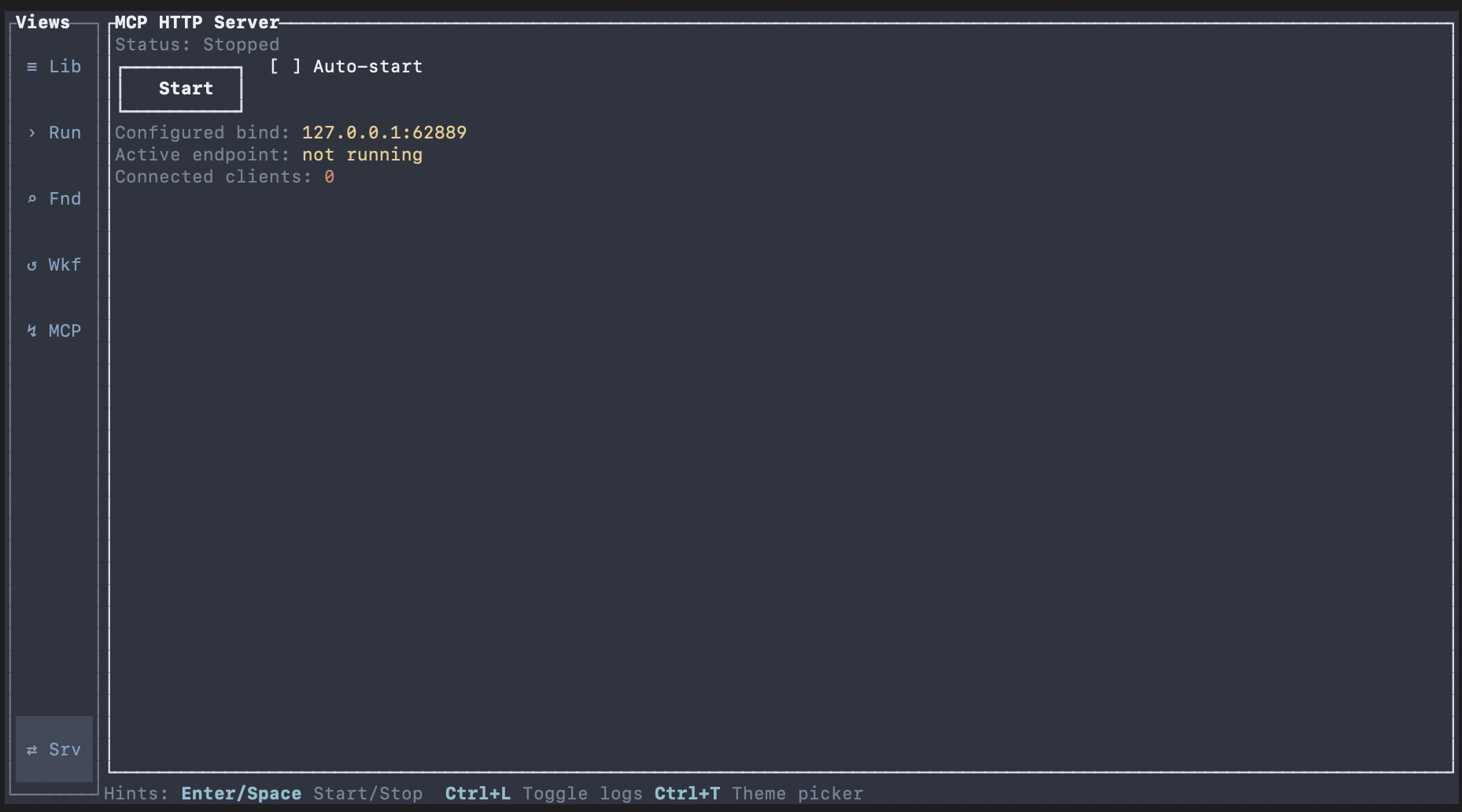
Open MCP HTTP Server view in the TUI.
Confirm local network policy allows loopback access.
expected Server controls and status details are visible.
recovery If the view is unavailable, switch to MCP HTTP Server from left navigation.
Why Oatty Uses a Visible HTTP MCP Server (Not Headless stdio by Default)
Many MCP servers run as headless stdio processes. Oatty intentionally defaults to a visible local HTTP server in the TUI so operators can observe and control runtime behavior directly.
The MCP HTTP Server view provides explicit lifecycle controls, endpoint visibility, connected-client counts, and last-error context. This makes troubleshooting and operational review faster than debugging an opaque background process.
This choice also keeps human-in-the-loop workflows clear: agents can propose and run through MCP while operators keep direct visibility into what is connected and when execution is active.
Headless stdio is still a valid pattern in some environments. If you need tightly sandboxed single-client process wiring, stdio-based integration can still fit, but Oatty's default prioritizes transparent multi-client local operations.
expected Operators can inspect server state and client activity in real time instead of inferring failures from disconnected client logs.
tip Use local loopback bind plus visible controls for development and review workflows; only expose network endpoints when you have explicit security controls in place.
Start and Stop the Server
Use Start to launch the MCP HTTP server.
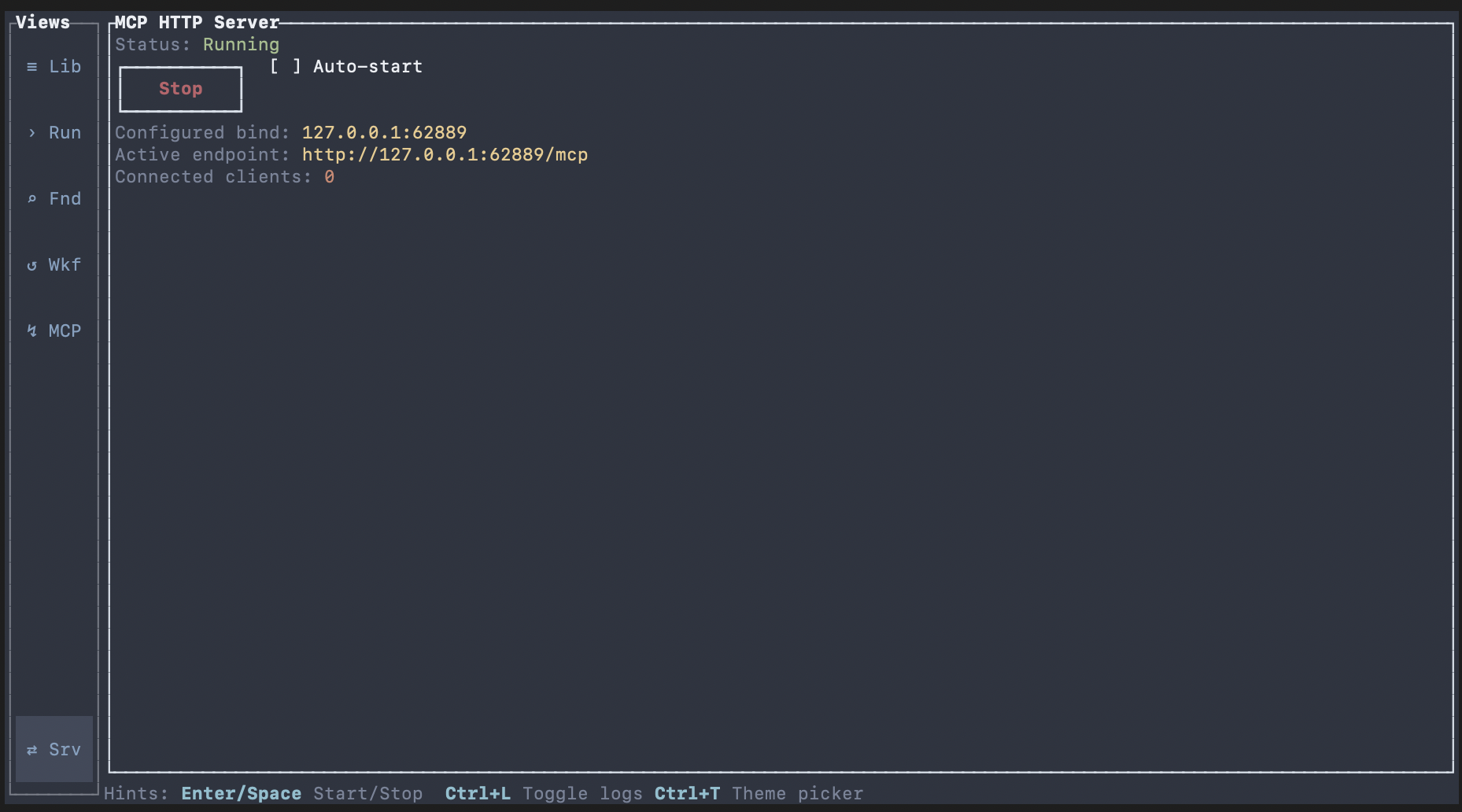
Use Stop to shut down the server when needed.
Read status changes to confirm lifecycle transitions.
expected Status transitions between Stopped, Starting, Running, and Stopping as actions execute.
recovery If start fails, review Last error and retry from a stopped state.
Verify Endpoint Details
Read Configured bind and Active endpoint in the details panel.
Use Active endpoint as the canonical client connection target while running.
Monitor Connected clients to confirm successful inbound sessions.
expected Active endpoint displays `http://<bound-address>/mcp` while running.
recovery If Active endpoint is `not running`, start the server and verify status returns Running.
advanced Default bind is loopback (`127.0.0.1:62889`) unless overridden by config.
Configure MCP Clients to Connect
Use `http://localhost:62889/mcp` as the server URL.
Claude Desktop currently requires a stdio bridge for HTTP MCP endpoints. Use `mcp-remote` to bridge to `http://localhost:62889/mcp`.
When bound to localhost, the Oatty MCP HTTP server uses local HTTP and typically does not require authentication headers or tokens.
Keep the server bound to loopback unless you understand the security implications of exposing it on your network.
Restart or reconnect the client after updating configuration so it loads the new endpoint.
# Shared connection settings
URL: http://localhost:62889/mcp
Auth: none (localhost)

# Claude Desktop (claude_desktop_config.json)
{
  "mcpServers": {
    "oatty": {
      "command": "npx",
      "args": [
        "mcp-remote",
        "http://localhost:62889/mcp"
      ]
    }
  }
}

# Cursor (.cursor/mcp.json)
{
  "mcpServers": {
    "oatty": {
      "url": "http://localhost:62889/mcp"
    }
  }
}

# Cline / Roo Code (mcp_settings.json)
{
  "mcpServers": {
    "oatty": {
      "url": "http://localhost:62889/mcp"
    }
  }
}

# VS Code MCP config (.vscode/mcp.json or user MCP config)
{
  "servers": {
    "oatty": {
      "type": "http",
      "url": "http://localhost:62889/mcp"
    }
  }
}

# Generic Streamable HTTP MCP client
{
  "servers": {
    "oatty": {
      "transport": "streamable-http",
      "url": "http://localhost:62889/mcp"
    }
  }
}
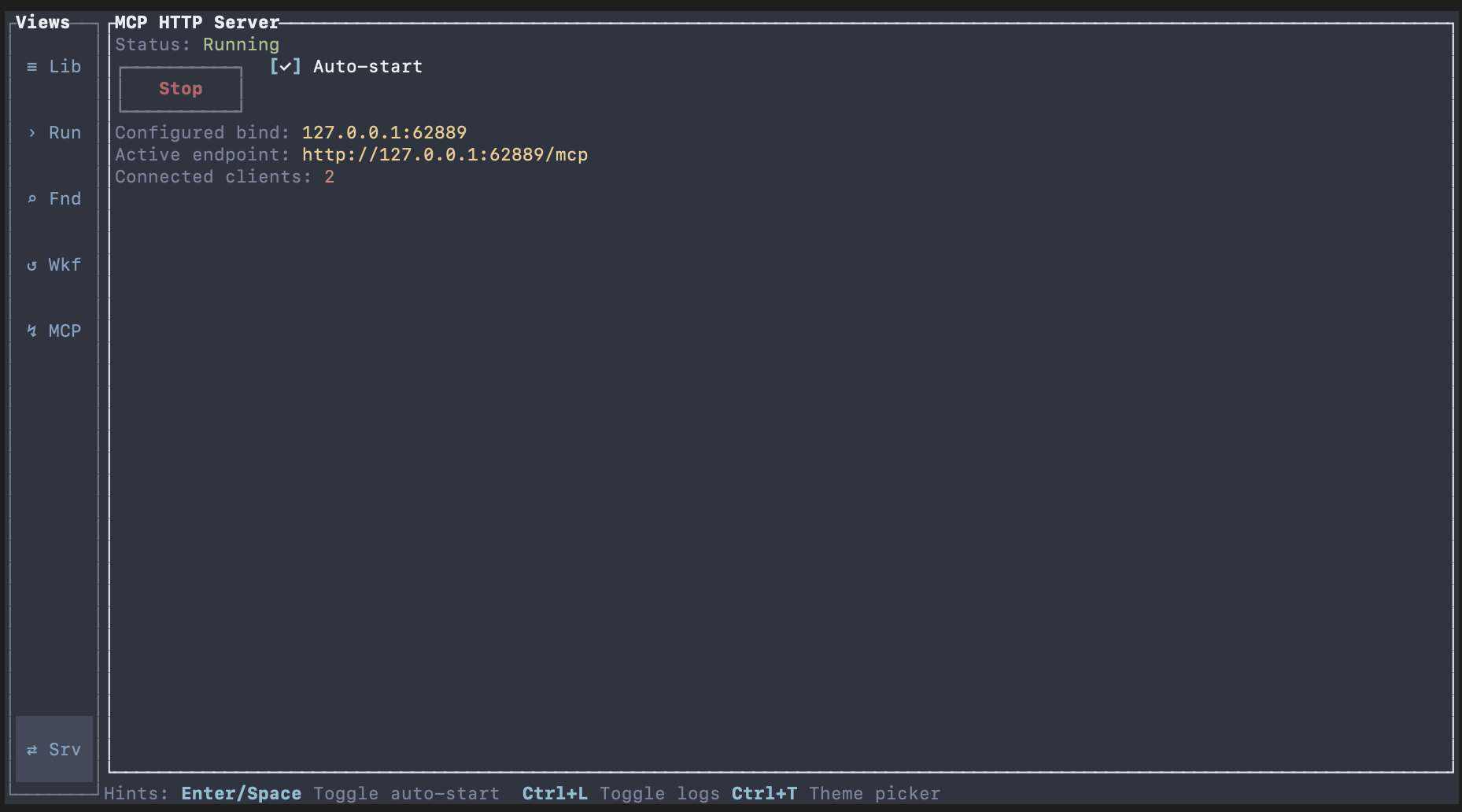
expected Connected clients count increases after client connection succeeds.
recovery If clients cannot connect, verify server is Running and the configured URL is exactly `http://localhost:62889/mcp`.
advanced Use local bind addresses for local clients. Keep endpoint and client config synchronized when bind settings change.
Configure Auto-start
Toggle Auto-start when you want the server started with TUI launch.
Leave Auto-start disabled for manual lifecycle control.
expected Auto-start toggle state persists and reflects your runtime preference.
recovery If toggle does not persist, retry toggle and confirm no configuration write errors are logged.
Next Steps
Return to Plugins to validate tool-level integrations exposed through connected clients.
Continue to Reference docs for configuration and environment variable details.
expected You can run a stable local MCP server and connect clients without ambiguity.