Workflows Basics
Move from workflow selection to input collection to execution, then control active runs from the run view.
Estimated time: 12-16 min
What You Will Learn
- Import and remove workflows from the workflow list.
- Open pre-run inputs and resolve required values.
- Run workflows and inspect step status and details.
- Use pause/resume/cancel controls during active runs.
Overview
Workflows are defined in YAML or JSON files and can be imported into Oatty from the TUI or CLI.
Workflows are executed in the TUI using the Workflows Runner.
Workflows can be imported from local files or URLs, then previewed or run from the TUI or CLI.
expected Goal: Use the Workflows Runner to import and execute workflows, then inspect the results.

Manage Workflow List
Use Import to add workflows to the list.
Select a workflow and use Remove when needed.
Use search and list navigation to locate workflows quickly.
expected Workflow list reflects import/remove actions and selection state.
recovery If Remove is unavailable, select a workflow first.

advanced List navigation supports row movement and page jumps for larger workflow sets.
Open Inputs and Set Values
Press Enter on a selected workflow to open inputs.
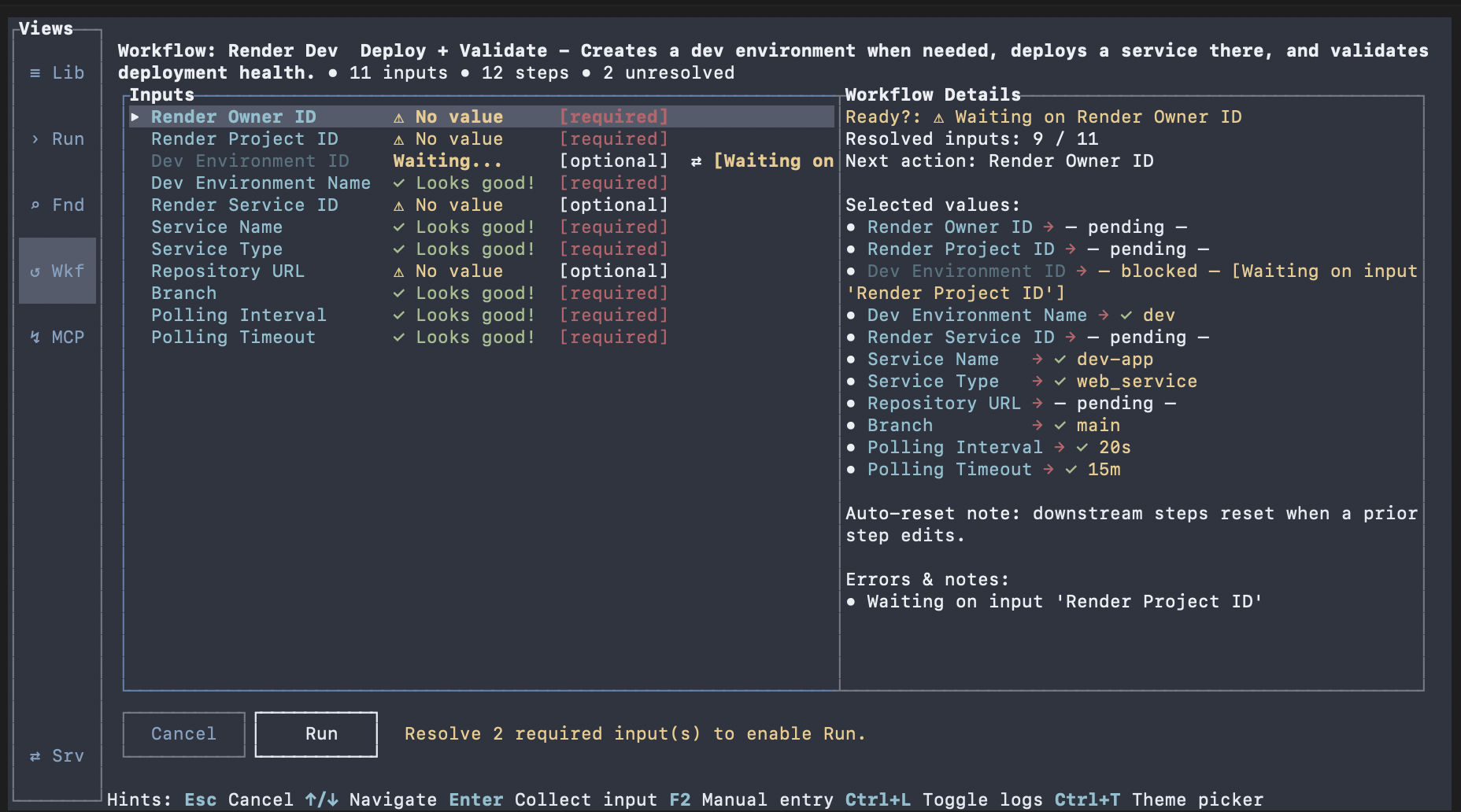
Review required fields and collect values from provider or manual entry paths.
Use manual entry when provider selection is not appropriate.
expected Required inputs are set and Run becomes available.
recovery If input collection blocks a workflow run, fill missing required values and retry.

advanced Workflows can be defined so values are pulled in from a designated command and presented as a list of options to choose from.
Start a Workflow Run
Run from the input view after required values are set.
Move to the run view and monitor step transitions.
Open step detail and logs for verification.
expected Run view shows workflow status and step-level execution progress.
recovery If run fails early, inspect the first failing step detail and log message before rerunning.
fallback CLI fallback: `oatty workflow list`, `oatty workflow preview --id <workflow-id>` or `--file ./workflow.yaml`, and `oatty workflow run --id <workflow-id> --input key=value` or `--file ./workflow.yaml`.
Control Active Runs
Use Pause or Resume based on current run state.
Use Cancel when you need to stop execution.
Use Done to close completed runs.
expected Run control actions update run state and status messaging.
recovery If a control is disabled, verify the current run state supports that action.
advanced Known limitation: step-level rerun/resume is not yet first-class.
Next Steps
Continue to Plugins to integrate plugin-backed tools used by workflows.
Then continue to MCP HTTP Server to expose Oatty tools for MCP clients.
Return to Search and Run Commands to validate command-level behavior used inside workflows.
expected You can execute workflows repeatedly with predictable input and control behavior.